Key Takeaways
A project portfolio management tool should be chosen around organisational maturity, governance needs, reporting requirements, integrations, security, adoption capacity, and total cost of ownership. The right platform improves visibility, reduces manual reporting, supports better resource and financial decisions, and helps leaders prioritise projects based on strategic value rather than feature lists alone.
Modern organisations are expected to deliver more projects, with tighter budgets, limited resources, and closer scrutiny from senior leaders. Project Portfolio Management tools help organisations see what is being worked on, why it matters, how it is performing, and whether resources are being used in the right places.
This is not a small operational issue. Association for Project Management and PwC’s 2024 Golden Thread research found that the UK project profession employs approximately 2.32 million full-time equivalents and contributes £186.8 billion annually to the UK economy. That scale explains why project selection, governance, reporting, and portfolio control have become board-level concerns.
The challenge is that no single PPM tool is “perfect” for every organisation. A platform that works well for a mature enterprise PMO may be too complex for a growing organisation that simply needs better visibility. Equally, a lightweight project tracking tool may not be enough for a business managing capital spend, resource constraints, regulatory change, or strategic transformation.
Choosing the right project portfolio management tool depends on your organisation’s maturity, governance model, reporting needs, adoption capacity, integrations, security requirements, and budget. The aim is not to buy the longest feature list. It is to choose a tool that helps leaders make better decisions and helps teams manage work with less friction.
Table of Contents
Understand Your Organisation’s Needs
Assess Your PPM Maturity Before Choosing a Tool
Prioritise Ease of Use and Adoption
Ensure Comprehensive Portfolio Visibility and Reporting
Look for Robust Financial Management Features
Assess Integration and Scalability
Evaluate Security and Compliance Standards
Demand Strong Support, Training, and Implementation Services
How to Evaluate, Test, and Compare PPM Tools Before Buying
Consider Total Cost of Ownership
PM3: A Flexible PPM Tool Built Around Outcomes
FAQs
Understand Your Organisation’s Needs
Before choosing a project portfolio management tool, define the problem you are trying to solve and agree what success should look like. Many organisations start with vendor demos too early and end up comparing features before they have agreed what success looks like.
Start by identifying the main pressure points in your current portfolio. Are projects difficult to prioritise? Are reports inconsistent or manually produced? Are resources overallocated? Is financial tracking disconnected from delivery status? Are senior leaders struggling to see which projects support strategic objectives?
You should also be clear about who needs to use the system and what each group needs from it. Executives may need decision-ready dashboards, PMO teams may need governance workflows and assurance data, project managers may need simple ways to update progress and risks, finance teams may need cost visibility, and resource managers may need capacity planning views.
This early discovery stage should produce a clear list of must-have, should-have, and future-state requirements. A useful PPM tool should align with the way your organisation makes decisions, not force every team into an unrealistic process.
At this stage, ask:
- What decisions do we need this tool to improve?
- Which manual processes should it reduce?
- Which systems must it connect with?
- What level of governance do we need now, and what might we need in two or three years?
The clearer your answers, the easier it becomes to identify a tool that fits your organisation rather than one that simply looks impressive in a demo.
Assess Your PPM Maturity Before Choosing a Tool
A common mistake is buying a tool for the organisation you want to become, rather than the organisation you are today. Ambition is important, but software cannot compensate for unclear governance, poor data quality, or inconsistent project discipline.
PPM maturity usually falls into three broad stages.
At a basic level, the priority is visibility. The organisation needs one reliable place to see active projects, owners, timelines, risks, and status. A tool at this stage should make reporting easier, reduce spreadsheet dependency, and create a shared view of the portfolio.
At an intermediate level, the organisation needs stronger control. This often includes resource management, financial tracking, standardised reporting, governance checkpoints, and clearer prioritisation. The tool should help the PMO and leadership team understand whether the organisation has the capacity and budget to deliver what it has committed to.
At an advanced level, PPM becomes a strategic management discipline. The organisation may need benefits tracking, scenario modelling, dependency management, demand management, portfolio optimisation, and executive decision support. At this stage, the tool must support trade-off decisions: what to start, stop, pause, accelerate, or fund differently.
The key is to be honest about readiness. Advanced resource management is only useful if teams are willing to keep allocation and capacity data accurate. Benefits tracking only works if benefits are defined, owned, measured, and reviewed. Executive dashboards only create value if leaders use them to make decisions.
The right project portfolio management tool should support today’s maturity while giving your organisation room to grow. It should not overwhelm users with complexity before the organisation is ready to use it well.

Prioritise Ease of Use and Adoption
A PPM tool only creates value if people use it consistently. If the system is hard to navigate, slow to update, or built around overly complex workflows, teams will find workarounds. The result is familiar: the PMO chases updates, reports become unreliable, and leaders lose confidence in the data.
Usability should therefore be treated as a strategic requirement, not a cosmetic preference. During selection, pay close attention to how different users experience the tool. Can project managers update status quickly? Can executives find the information they need without training? Can team members submit time, risks, or task updates without unnecessary clicks? Can dashboards be tailored by role?
The best PPM tools balance control with simplicity. They provide enough structure to improve governance, but not so much process that teams stop engaging. Role-based dashboards are particularly useful because executives, project managers, finance teams, and delivery teams rarely need the same level of detail.
Adoption is also easier when the tool connects with platforms people already use. Integration with Microsoft Teams, Microsoft 365, email, and collaboration tools can help portfolio management become part of daily working habits rather than a separate administrative burden.
Training matters, but training alone will not fix a poorly designed rollout. Organisations should plan for onboarding, internal champions, clear ownership, and phased implementation. A smaller rollout that is adopted well is usually more valuable than a large deployment that users resist.

Ensure Comprehensive Portfolio Visibility and Reporting
Good portfolio visibility is not simply a dashboard full of charts. It is the ability to see the right information at the right level so decisions can be made quickly and confidently.
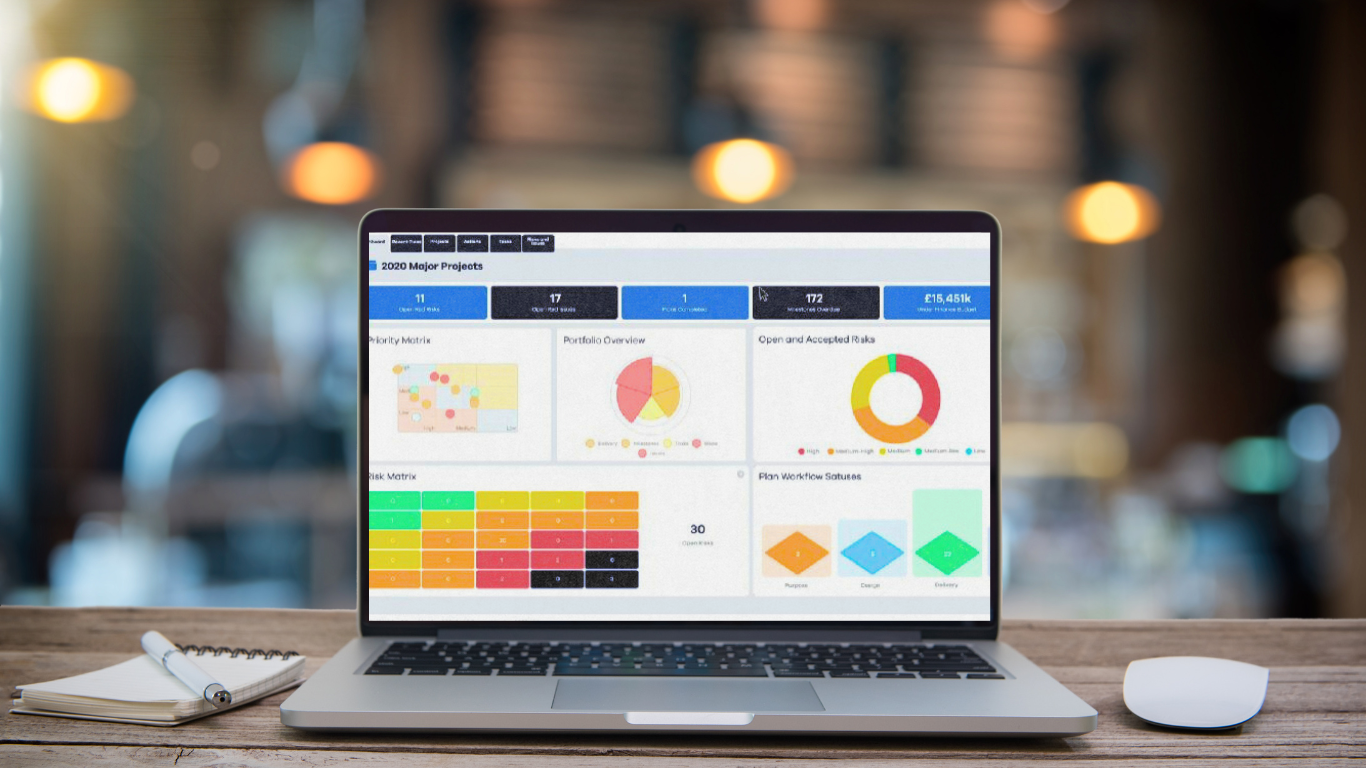
At portfolio level, leaders need to understand which projects are on track, which are at risk, which are consuming the most resource, and which are most closely tied to strategic goals. A strong PPM tool should show project status, milestones, risks, issues, dependencies, budgets, resource demand, and benefits in a way that is easy to interpret.
This matters because reporting is still highly manual in many organisations. Wellingtone’s State of Project Management research reports that 42% of respondents spend one or more days manually collating project reports. That is time spent gathering information rather than managing delivery, resolving risks, or improving decisions.
A good project portfolio management tool should reduce manual reporting effort by creating a reliable source of truth for portfolio data. Project managers, PMOs, and executives should be working from consistent portfolio data, rather than rebuilding reports and reconciling spreadsheets before every review.
Look for reporting that supports both detail and judgement. Senior leaders need concise summaries, exception reporting, and decision points. PMO teams need the ability to drill into root causes. Project managers need practical views that help them manage delivery. Reporting should not just describe what has happened; it should help the organisation decide what to do next.
Look for Robust Financial Management Features
Financial oversight is one of the areas where PPM tools can create significant value, especially for organisations managing large portfolios, transformation programmes, or capital investment.
At a minimum, the tool should support budget tracking, forecasting, cost reporting, and variance analysis. It should help teams compare planned spend with actual spend and understand whether projects remain viable as scope, timelines, or assumptions change.
For more mature organisations, financial management may also include cost-benefit analysis, resource cost modelling, timesheets, expenses, benefits tracking, and integration with finance or ERP systems. This allows financial data to sit alongside delivery data, rather than being reviewed in isolation.
The practical value is in the decisions this enables. If a project is over budget but still strategically critical, leaders may choose to protect it. If another project is consuming scarce resources but offers limited value, it may need to be paused or stopped. Without reliable financial visibility, those decisions are often made too late.
Integrated timesheets and expenses can also improve resource and cost accuracy, provided they are implemented sensibly. The goal is not to add administration for its own sake. The goal is to understand where time and money are going, and whether that investment is aligned with the organisation’s priorities.
A strong PPM tool should help answer three questions: what are we spending, what value are we expecting, and where do we need to intervene?

Assess Integration and Scalability
A PPM tool should not sit in isolation. It needs to fit into the wider technology environment and support the way information already moves through the organisation.
Common integrations include Microsoft 365, Microsoft Teams, Power BI, ERP and finance systems, CRM platforms, HR systems, Jira, Azure DevOps, single sign-on, and data warehouses. The right integrations will depend on your operating model, but the principle is the same: portfolio data becomes more valuable when it connects with financial, resource, delivery, and reporting systems.
Integration also affects adoption. If users have to duplicate information across multiple platforms, data quality will suffer. If dashboards depend on manual exports, reporting will remain slow. If resource or finance data is disconnected, leaders may not get an accurate view of delivery risk.
Scalability is equally important. A tool that works for one department may not perform well when rolled out across multiple business units, portfolios, geographies, or governance structures. Before choosing a platform, consider whether it can support more users, more projects, more complex permissions, more reporting layers, and more advanced portfolio controls over time.
Cloud versus on-premise should also be considered carefully. Cloud platforms can offer easier updates, remote access, scalability, and lower infrastructure burden. However, some organisations may have specific data residency, compliance, or security requirements that affect deployment choice.
The best-fit tool should support current needs without closing down future options. It should be flexible enough to grow with the organisation, but not so complex that it becomes difficult to manage.

Evaluate Security and Compliance Standards
PPM systems often hold sensitive information: budgets, strategic initiatives, commercial plans, staffing data, risks, supplier details, and delivery performance. Security should therefore be assessed early in the selection process, not treated as a final procurement check.
Start with access control. The tool should support role-based permissions so users only see the information they need. Senior leaders, project managers, finance users, external partners, and team members may all require different levels of access.
You should also assess compliance and assurance standards. Depending on your organisation, relevant considerations may include GDPR, ISO 27001, Cyber Essentials, data residency, encryption, audit logs, backup and recovery, penetration testing, and incident response processes.
Single sign-on and multi-factor authentication are increasingly important, particularly for larger organisations or those with distributed teams. Audit trails are also valuable because they show who changed what, when, and why. This supports governance, accountability, and assurance.
Security questions should be specific. Ask where data is hosted, how permissions are managed, how the platform is tested, what certifications or independent assessments the vendor holds, and how incidents are communicated.
A secure PPM tool protects more than data. It protects confidence in the governance process. If leaders are using the system to make investment, delivery, and resourcing decisions, they need to trust both the information and the platform that holds it.
Demand Strong Support, Training, and Implementation Services
Even the most intuitive PPM tool needs a thoughtful implementation. The real work is not simply configuring software; it is embedding a better way of managing the portfolio.
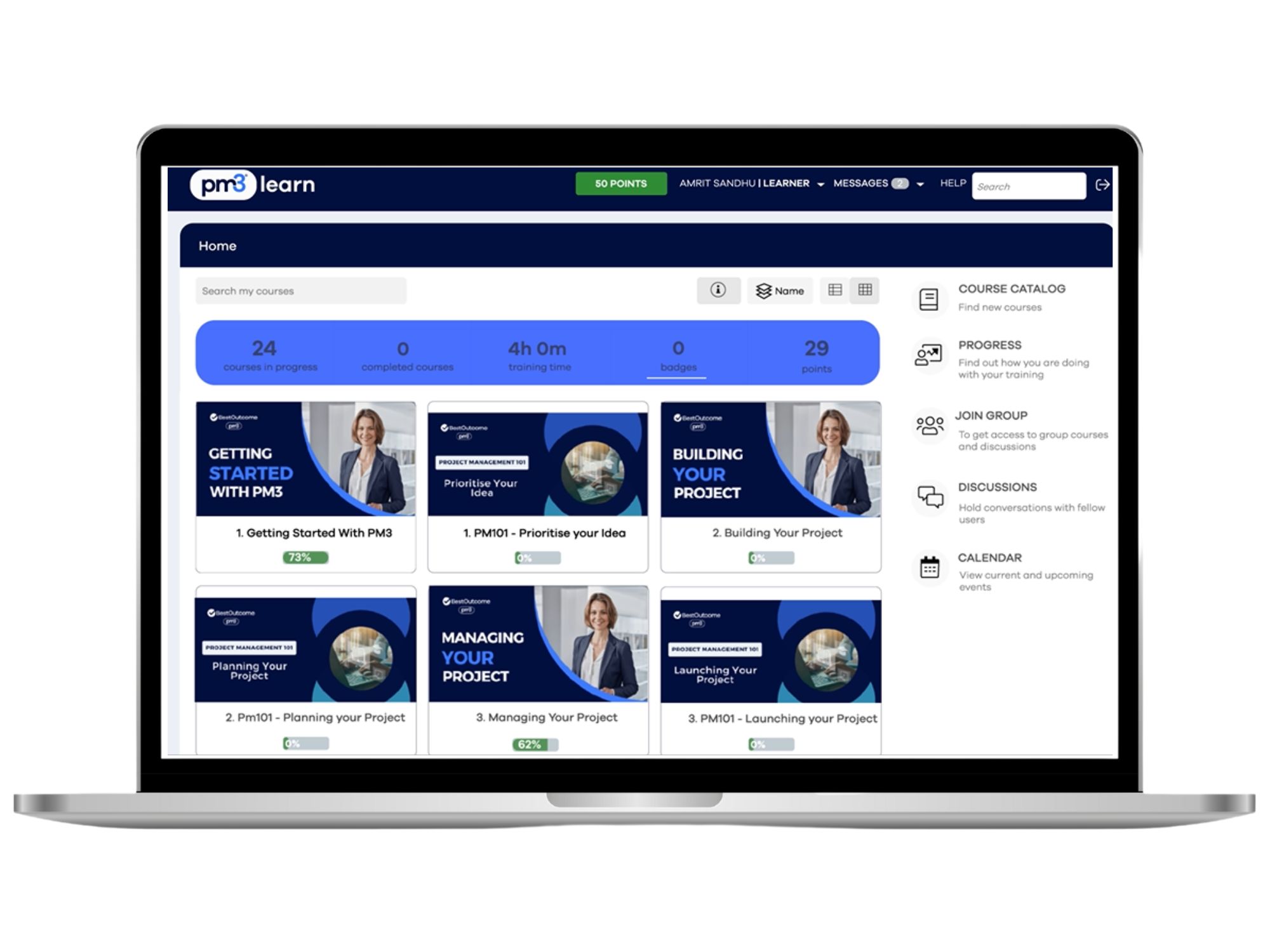
A good vendor should provide structured onboarding, administrator training, end-user training, documentation, and responsive support. For larger or more complex deployments, implementation support should also cover configuration, data migration, workflow design, reporting setup, integration planning, and change management.
Training should be role-specific. Executives do not need the same training as project managers. PMO administrators do not need the same experience as occasional team members. The aim is to help each group use the tool confidently for the decisions and tasks that matter to them.
Customer support should be assessed practically. What channels are available? How quickly does the vendor respond? Is support included or charged separately? Are there user communities, release notes, product updates, and customer feedback loops?
The strongest implementations usually start with a focused rollout, prove value quickly, and then expand. This reduces risk and gives users time to build confidence before the organisation introduces more advanced functionality.
How to Evaluate a Project Portfolio Management Tool Before Buying
Once requirements are clear, the next step is to compare tools in a disciplined way. A good evaluation process prevents the decision from being driven by the most polished demo or the longest feature list.
Begin with a weighted scorecard. Score each tool against the criteria that matter most to your organisation, such as usability, reporting, resource management, financial control, integrations, security, scalability, implementation support, and total cost. Not every criterion should carry the same weight. If adoption is your biggest risk, usability should matter more than advanced functionality.
Vendor demos should be based on real scenarios, not generic walkthroughs. Ask vendors to show how the tool handles a project going over budget, a key resource becoming overallocated, a senior leader requesting a portfolio update, or a project needing to be paused because priorities have changed.
Involve the right stakeholders. Executives, PMO leaders, project managers, finance, IT, security, and end users will each see different risks. A tool that impresses leadership but frustrates project managers will struggle. A tool that satisfies delivery teams but fails security review may never reach rollout.
Where possible, run a pilot using real project data. This will reveal issues that a demo cannot: reporting accuracy, workflow fit, data quality, permission complexity, and training needs.
Finally, compare implementation effort as carefully as functionality. A powerful system that requires heavy customisation, complex integrations, or significant internal administration may not be the best choice. The right tool should improve portfolio control without creating a new operational burden.

What Is a Decision Log? A Guide for Project Managers
Learn what a decision log is in project management, why it’s essential for tracking key decisions, and how to use a decision log to improve transparency, accountability, and project governance.
Consider Total Cost of Ownership
When assessing a project portfolio management tool, cost should be considered beyond the licence fee. A PPM tool may appear affordable at the point of purchase but become expensive once implementation, training, integrations, customisation, support, and future expansion are included.
Total cost of ownership should include subscription or licence costs, one-time setup fees, implementation support, configuration, data migration, reporting setup, integrations, training, ongoing support, internal administration, additional modules, and future user growth.
Hidden costs often appear when requirements have not been defined clearly. For example, an organisation may discover that advanced reporting requires extra configuration, that integration with finance systems needs additional development, or that different user groups require higher licence tiers than expected.
It is also worth considering the cost of poor adoption. A cheaper tool that teams do not use properly can become more expensive than a better-fit platform that improves visibility, reduces manual reporting, and supports decision-making.
Ask vendors to provide transparent commercial guidance. What is included? What is optional? What usually costs extra? What happens as the number of users or projects increases? How are renewals handled? Are training and support included?
The best-value tool is not necessarily the cheapest. It is the one that delivers the strongest balance of usability, control, scalability, implementation effort, and long-term business value.
PM3: A Flexible Project Portfolio Management Tool Built Around Outcomes
PM3 is a Project, Programme, and Portfolio Management tool designed to improve visibility, governance, and decision-making across portfolios. Used across the public, private, and charitable sectors, PM3 focuses on supporting successful outcomes rather than simply tracking activity.
Scalable Portfolio Visibility
PM3 can support organisations managing a small number of projects as well as those looking for an enterprise PPM solution. Its implementation approach can be tailored to suit the organisation’s scale, maturity, and operating model.
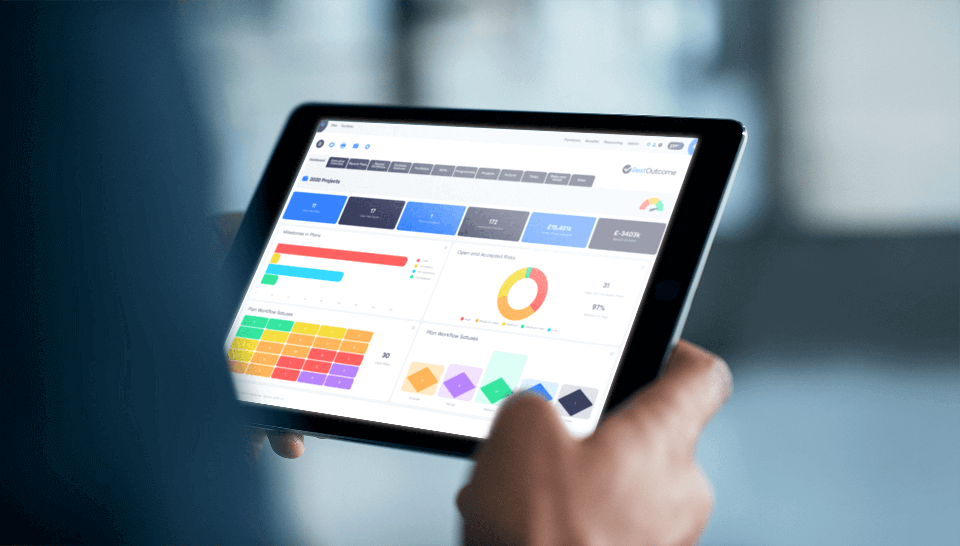
Built as a single source of truth, PM3 gives teams and leaders a clearer view of project, programme, and portfolio performance. Its built-in reports and drill-down dashboards help reduce manual reporting effort and support more informed governance conversations.
Supporting Better Delivery Decisions
PM3 supports key PPM disciplines including benefits realisation, resource management, prioritisation, and transformation planning. It can help organisations identify resource pinch points, assess whether planned portfolios have sufficient resources, and prioritise across projects and programmes.
The tool also supports both waterfall methods, including PRINCE2™, and agile ways of working, including user stories, sprints, and kanban boards.
Time, Cost, and Adoption Support
For teams that need time, cost, and expense visibility, PM3Time provides a cloud-based timesheet and cost management application. It gives integrated, real-time visibility of how employees and contractors are spending their time, supports timesheet approval, and can interface with Xero.
PM3 also offers training, mentoring, and change management services to support adoption and help teams improve the way they manage delivery.
Discover PM3
For organisations looking for a PPM tool that combines portfolio visibility, governance support, resource insight, reporting, and flexible delivery methods, PM3 is worth exploring further. Review PM3’s features, read its success stories, or arrange an online demo to see how it could support your organisation’s project and portfolio outcomes.
FAQs
What are project portfolio management tools?
Project portfolio management tools help organisations manage, prioritise, track, and report on multiple projects, programmes, and portfolios in one place. They provide visibility of status, resources, risks, budgets, benefits, dependencies, and strategic alignment.
What is the difference between project management software and PPM software?
Project management software usually focuses on managing individual projects, tasks, timelines, and team activity. PPM software gives leaders and PMOs a portfolio-level view so they can prioritise investment, manage resources, assess performance, and make strategic decisions across multiple projects.
How long does it take to implement a PPM tool?
Implementation time depends on organisational maturity, configuration needs, integrations, data migration, reporting requirements, and user training. A focused phased rollout is often more effective than a large deployment, because it helps prove value quickly and supports stronger adoption.
How do you calculate ROI for a PPM tool?
ROI for a PPM tool can be assessed by comparing the total cost of ownership with measurable benefits such as reduced manual reporting, better resource utilisation, improved financial control, faster decision-making, and stronger project prioritisation. Organisations should also consider the cost of poor adoption or continued spreadsheet-based reporting.
What integrations matter most for PPM software?
The most important integrations are those that connect portfolio data with the systems already used for collaboration, finance, delivery, reporting, and resource management. Common examples include Microsoft 365, Microsoft Teams, Power BI, ERP and finance systems, CRM platforms, HR systems, Jira, Azure DevOps, single sign-on, and data warehouses.
Main Image: Astrid IQ
